Prity stoves · Flam compatible
Control a Prity stove from your phone
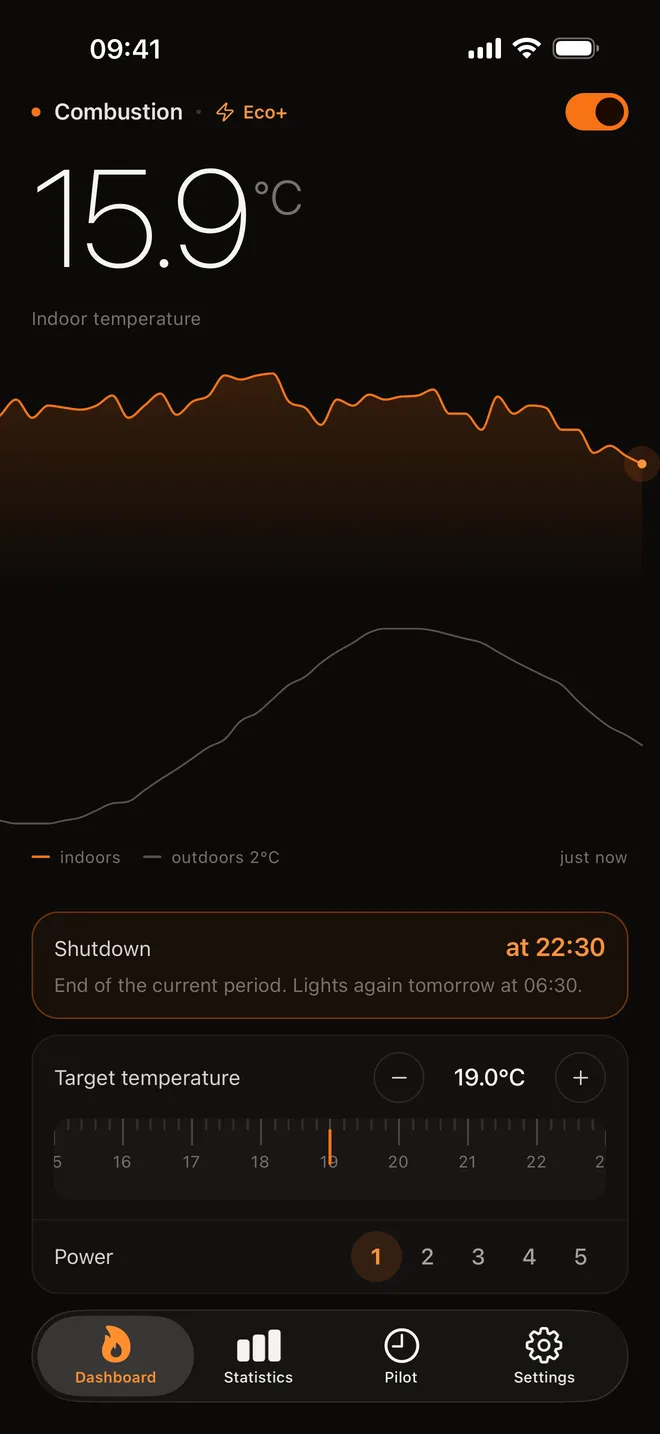
Prity pellet stoves fitted with a Fumis WiRCU connectivity module can be fully controlled with Flam: lighting, stopping, target temperature and weekly schedule, free of charge. With Flam+, early ignition and Eco+ on top.
Prity models recognised by the app
Your model is not listed? If it has a WiRCU module, choose “Other / Custom” at the model step: the connection works the same way.
- Prity PM
- Prity K2
Prity WiFi stove: which app?
A Prity stove can be controlled from a phone if it has a Fumis WiRCU connectivity module linked to your home WiFi. That module is what makes the stove connected: without it, no app can reach it.
If you already control this stove from your phone, it goes through this same module: your app and Flam use the same online service, with the same credentials. You can try Flam without changing anything on the stove, and keep your app if you wish.
What Flam adds
- Temperature time slots
- You ask for 20 °C from 7 am to 9 am: Flam Pilot picks the ignition time so the room gets there on time. With Flam+.
- Eco mode from the app
- If your stove has an eco mode, it switches on and off from your phone. Free.
- Eco+
- It modulates the flame to keep the room within the margin you chose. Depending on the setting: a steadier temperature (Comfort), or fewer ignitions (Economical). With Flam+.
Before you start
A Fumis WiRCU module
The stove's connectivity module. Without it, no application can reach a stove remotely.
Your home WiFi
The module must be connected to your network, just as for the manufacturer's app.
The MAC address and PIN
Printed on the module's label: they are the only credentials Flam asks for.
What Flam does with your Prity
Free, for life
Light it, stop it, set it
Target temperature, power level, current status. From anywhere.
The weekly schedule
Up to two time slots a day, set day by day. No subscription.
The stove's own eco mode
The energy-saving mode built into the stove, switched on from the app.
With Flam+
Flam Pilot
You say what you want. It takes care of the how.
Eco+
The stove's eco mode cuts out and relights. Eco+ modulates.
Stove monitored every 5 minutes
Connect your Prity in five steps
- 1
Check the connectivity module
Your stove must be fitted with a Fumis WiRCU module connected to your WiFi. The simplest test: if it can already be controlled from your manufacturer's app, the module is in place.
- 2
Note the MAC address and PIN
They are printed on the module's label. Take a photo of it: that is safer than copying twelve characters from memory.
- 3
Install Flam
Choose your brand, then your model, or “Other / Custom” if it is not in the list. Enter the town where the stove is: it is used for the weather, and Flam Pilot needs it.
- 4
Enter the two credentials
The MAC address has twelve characters: digits, and letters from A to F. Colons and hyphens are optional; Flam removes them itself.
- 5
Tap “Verify and connect”
Flam queries the stove straight away. As soon as communication is established, you land on the dashboard: the stove is ready to control.
Your credentials, under lock and key
A stove fitted with a Fumis WiRCU module connects using its module's MAC address and PIN: Flam does not ask you for any manufacturer account password. Here is where those two credentials are kept.
- On your phone
- In the system's secure vault: the Keychain on iPhone, the Keystore on Android.
- On our servers, encrypted
- So that Flam can watch the stove even when your phone is off, a copy is kept encrypted in a dedicated vault. The database does not hold their value in plain text.
- For a single purpose
- They are only used to talk to the manufacturer's online service, always over HTTPS.
- Erased with your account
- Deleting your account permanently erases these credentials from our servers.
Questions about Prity stoves
Does Flam work with every Prity stove?
With those fitted with a Fumis WiRCU connectivity module. A Prity stove without a connected module cannot be reached by any application: neither the manufacturer's nor Flam.
Do I need to keep the manufacturer's app?
It is not necessary: Flam goes through the same online service, with the same credentials (the module's MAC address and PIN).
Is Flam an official Prity app?
No. Flam is an independent application: it is not published, endorsed or paid by Prity. It replaces neither your stove's warranty nor its servicing.
The other controllable brands
Your stove deserves better than a remote control
Control and scheduling free for life. Flam+ can be tried for 10 days, no payment card required.